June 25, 2026
When a business begins researching a projector purchase — for a new boardroom, a classroom refresh, or an auditorium upgrade — the natural instinct is to search for "the best type of projector." That framing causes more confusion than it resolves, because a projector isn't one type of thing. It's a combination of independent choices stacked on top of each other.
Every commercial projector can be classified along four separate axes: the display technology that forms the image, the light source that illuminates it, the throw ratio that determines how far it sits from the screen, and the application it's being specified for. These axes don't compete with one another. A single projector model is one answer from each category — a DLP chip, illuminated by an LED light source, mounted as a short-throw unit, specified for a classroom. Understanding this structure is the single most useful thing a buyer can learn before evaluating any specific product, because it explains why two projectors that look similar on a spec sheet can perform very differently in the same room.
This guide walks through each of the four classification axes in detail, explains the trade-offs at each level, and connects the technical detail back to the kind of decision a procurement manager, IT lead, or facilities director actually has to make: which combination of specifications is right for a specific room, budget, and use case.
Display technology refers to the internal mechanism a projector uses to convert a light source into a projected image. The two dominant technologies in the commercial and education market today are DLP (Digital Light Processing) and 3LCD, together accounting for the overwhelming majority of projectors sold for business and institutional use, with each technology claiming roughly half of the global market.
DLP technology, developed by Texas Instruments in 1987, forms an image using a DMD (Digital Micromirror Device) — a semiconductor chip covered in thousands to millions of microscopic, individually controllable mirrors. Light from the source is directed onto this chip, and each mirror tilts at extremely high speed to either reflect light toward the projection lens (creating a bright pixel) or away from it (creating a dark pixel). In single-chip DLP projectors, the most common configuration for commercial use, each primary colour is processed sequentially — directed through either a spinning colour wheel or, in LED and laser light-source designs, individually coloured LED or laser elements — with the sequence happening so quickly that the human eye perceives a complete, full-colour image.
Practical implications of DLP for business buyers:
3LCD, introduced by Epson in the 1980s, takes a fundamentally different approach. Rather than reflecting light off a single chip, white light from the source is split by dichroic mirrors into red, green, and blue beams, with each colour passing through its own dedicated liquid crystal panel before all three are recombined through a prism into the final projected image. Because all three colours are processed and projected simultaneously rather than sequentially, 3LCD does not produce the rainbow effect associated with single-chip DLP designs.
Practical implications of 3LCD for business buyers:
The practical decision for most commercial buyers: Neither technology is universally superior — the right choice depends on content type and maintenance tolerance. For text-heavy business presentations, document sharing, and colour-accurate signage, 3LCD's simultaneous colour projection is a strong fit. For video-heavy content, high-contrast presentations, and dusty or low-maintenance environments, DLP's sealed design and contrast performance are often the better match. For most general classroom and boardroom presentation use — slides, spreadsheets, typical video — both technologies perform well, and the light source (covered next) is usually a more consequential decision than the choice between DLP and 3LCD.
The light source is a separate classification axis from display technology, and this is where buyer confusion is most common. A projector's light source — lamp, LED, or laser — determines brightness ceiling, operating lifespan, and ongoing maintenance cost, and it can be paired with either DLP or 3LCD imaging. A projector described as "LED DLP" or "laser 3LCD" is simply naming one choice from each axis, not describing two competing alternatives.
Traditional projectors use a mercury vapor (UHP) lamp as the light source. Lamps typically offer the lowest upfront purchase price and can deliver strong brightness when new, but they degrade quickly — most lamps lose a meaningful share of their brightness within the first 1,000–2,000 hours of operation and require full replacement every 2,000–5,000 hours, depending on usage pattern. For an organisation running a projector for several hours each working day, this generally translates into a lamp replacement every one to three years — a recurring cost and maintenance task that needs to be budgeted and scheduled.
LED light sources use an array of light-emitting diodes to illuminate the imaging chip, eliminating the lamp entirely. LED light sources are commonly rated for 20,000 to 30,000 hours before brightness degrades to half of its original output — at four hours of daily use, that translates to roughly 13 to 20 years of service before the light source needs attention. LED light sources are also mercury-free, reach full brightness almost instantly with no warm-up delay, and maintain stable brightness for the large majority of their rated life, rather than declining steadily from the moment they're switched on. The trade-off is that LED light sources currently top out at a lower maximum brightness than laser, which makes them best suited to small-to-medium rooms — classrooms, boardrooms, and meeting rooms — rather than large auditoriums or venues with substantial uncontrolled ambient light.
Laser light sources offer a similar lifespan advantage to LED — typically 20,000 to 30,000 hours — while scaling to significantly higher brightness levels, making laser the appropriate choice for large venues, auditoriums, and spaces with extensive ambient light that LED cannot reliably overcome. Laser projectors share LED's instant on/off operation and mercury-free composition, and like LED, maintain consistent brightness across the majority of their operating life rather than degrading from day one. The trade-off is a higher upfront unit cost compared to both lamp and LED alternatives, though this is frequently offset over a five-to-seven-year ownership period by the complete absence of lamp replacement costs.
The practical decision for most commercial buyers: For any projector used multiple times per week — a classroom, a regularly booked meeting room, a venue with weekly use — LED or laser is almost always the stronger long-term investment despite a higher purchase price, because the avoided cost and disruption of lamp replacement frequently exceeds the price premium within a few years of ownership. Lamp-based projectors retain a role for infrequently used secondary rooms, where the lamp's limited operating hours accumulate slowly enough that the lower upfront cost remains the more sensible choice.
Throw ratio describes the relationship between the distance from the projector to the screen and the resulting image width — calculated as distance divided by image width. It is a purely geometric specification, independent of both display technology and light source, and it determines where a projector can physically be installed in a given room. AVIXA, the trade association for the audiovisual industry, classifies throw ratio into three categories based on this distance-to-width relationship.
Standard throw projectors, generally rated at 1.5:1 or higher, sit well back from the screen — commonly 8 to 12 feet for a 100-inch image. This is the traditional configuration for classrooms, conference rooms, and auditoriums with adequate ceiling-mount or rear-projection space.
Short throw projectors, typically ranging from 0.4:1 to 1.0:1, sit much closer to the screen — roughly 2 to 4 feet for a 100-inch image. This is useful in smaller rooms where a long-throw installation isn't physically possible, and it reduces the likelihood of shadows or glare interfering with the image while a presenter is standing near the screen.
Ultra-short throw (UST) projectors, rated below 0.4:1, sit just inches from the screen surface, often mounted on a table or low shelf directly beneath it. This format is well suited to tight spaces and interactive whiteboard-style installations, though it places additional demands on the screen itself — UST projectors are considerably more sensitive to any unevenness in the screen surface than longer-throw alternatives, since the steep projection angle magnifies even minor waves or ripples in the material.
The practical decision for most commercial buyers: Throw ratio should be one of the first specifications confirmed during a site visit, well before brightness or display technology become relevant considerations — because it determines whether a given room layout is physically compatible with a particular projector at all. A room with limited depth or no viable ceiling-mount position will rule out standard-throw models regardless of how well they otherwise match the room's brightness or content requirements.
The fourth axis is less a technical specification and more a practical filter that narrows the realistic range for the first three: classroom, boardroom or conference room, large venue or auditorium, and home theatre or portable use. Two rooms using identical display technology and light source can have very different requirements once application is factored in, because application sets the brightness, resolution, and throw expectations that actually matter for that space. Professional AV system designers generally anchor these decisions to AVIXA's DISCAS (Display Image Size for 2D Content in Audiovisual Systems) and PISCR (Projected Image System Contrast Ratio) standards, which define recommended screen sizing and the brightness needed to maintain adequate contrast against a room's ambient light — a more rigorous basis for specification than generic rules of thumb.
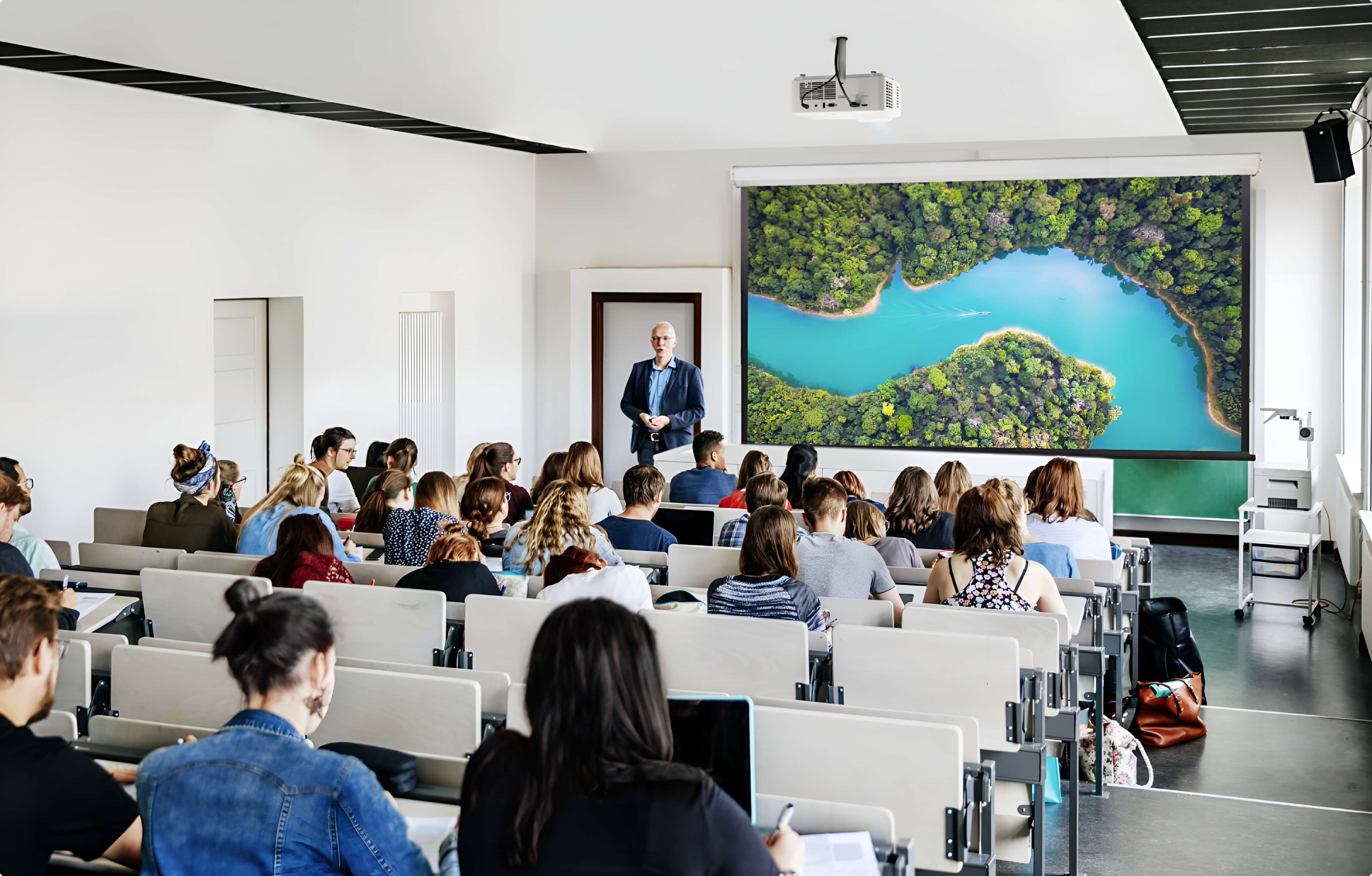
Classrooms typically call for 1080p or WXGA resolution, brightness in the 2,500–5,000 ANSI lumen range depending on ambient light, and — given daily multi-hour use across a school term — an LED or laser light source to avoid the recurring lamp-replacement burden falling on facilities staff.
Boardrooms and conference rooms generally need similar resolution to classrooms, with brightness scaled to the room's actual lighting conditions — 2,500–4,000 ANSI lumens for typical office lighting, rising toward 5,000+ for glass-walled boardrooms with significant uncontrollable daylight, increasingly common in modern commercial buildings.
Large venues and auditoriums require substantially higher brightness — commonly 6,000 to 8,000 ANSI lumens or more for screens over 300 inches — to maintain legibility at scale, which generally rules out LED light sources in favour of laser, and may call for large-venue-specific models with interchangeable lens options or multiple projectors blended together for very large or very bright spaces.
The practical decision for most commercial buyers: Specifying brightness, resolution, and throw before confirming the application context is a common and avoidable mistake. The right approach starts with the room's actual purpose and audience, then works backward through throw ratio, light source, and display technology — rather than starting from a preferred product line and trying to make a room fit it.
A useful way to see why this classification framework matters is to look at how a single buying decision plays out across all four axes simultaneously.
Consider a mid-sized corporate boardroom seating 15 people, with one glass wall admitting moderate afternoon light, used for client presentations and internal meetings four to five days a week. Working through the framework: the application (a regularly used, moderately bright boardroom) suggests brightness in the 4,000–5,000 ANSI lumen range; the light source decision favours LED or laser over lamp, given the frequency of use and the multi-year cost advantage of avoiding lamp replacement; the throw ratio depends on the room's physical depth and where a ceiling mount or table position is feasible; and the display technology — DLP or 3LCD — comes down to whether the room's content is primarily video and presentations (favouring DLP's contrast) or colour-accurate documents and branded materials (favouring 3LCD's colour brightness).
None of these four decisions is made in isolation, and none of them is inherently more important than the others — they're four dimensions of the same specification, and a projector that's excellent on three of the four but mismatched on the fourth (oversized brightness with the wrong throw ratio for the room, for example) will still underperform.
A few practical considerations consistently determine whether a projector purchase performs well in the room it's intended for:
The most reliable way to choose a projector is not to ask "what's the best type of projector?" but to work through the four classification axes in sequence, anchored to the room's actual application: confirm what the room needs to achieve, establish the throw ratio the space physically supports, determine the light source justified by how often the room will be used, and select the display technology suited to the content that will be shown most often.
Approached this way, "types of projectors" stops being a confusing menu of competing options and becomes a structured specification process — one that produces a projector genuinely matched to the room, rather than a generically capable unit that happens to have been the easiest to find.